How to use eConnect
This page will guide you through how to register for eConnect and point you to helpful resources when working in the portal.
eConnect is the online portal for you to submit and manage electricity connection requests with us.
This page will guide you through how to register for eConnect and point you to helpful resources when working in the portal.
You can use eConnect to submit requests for new connections, alterations, abolishments and solar preapprovals. It is mainly used by Registered Electrical Contractors (REC), but some services are also available to customers and non‑electricians. If you’re not a Registered Electrical Contractor, you may only be able to submit certain request types.
If you’re not sure which application or portal you need, visit Connecting to the electricity network page. It will guide you to the correct request before you access eConnect.
Available request types based on the account type in eConnect
| Who can submit a job? | New Connection | Alteration | Abolishment | Solar pre-approval |
|---|---|---|---|---|
| REC | √ | √ | √ | √ |
| Customer (non-electrician) | √ | √ |
Customers (or non-electricians) and RECs have different access based on their account type.
How to register an eConnect account
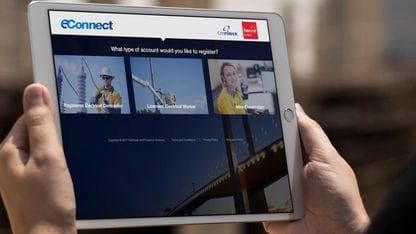
Before you register, make sure you select the correct account type: Registered Electrical Contractor, Licensed Electrical Worker, or Non‑Electrician.
If you’ve selected the wrong account type, you’ll need to contact us on 1300 360 410 to have it changed.
eConnect FAQs
- Submit and extend solar pre-approval requests
- Submit and track new connections
- Submit and track alterations
- Submit and track abolishments
- Submit enquiries
Yes, if you are a Registered Electrical Contractor (REC), Licensed Electrical Workers (LEWs) or Non-Electricians. You can then submit, track and update connections requests.
As a guest user, you don’t need to register an account to submit a Solar Pre-Approval or enquiry.
For instructions on how to register an eConnect account, click here (opens external site in a new window).
Yes. It is recommended that for all New Connection requests that you attach your CES via the file upload or photo option in eConnect. If it is left onsite and cannot be located, a wasted truck visit may be charged.
Yes. When you register your eConnect account, you can select how you wish to be notified via email, SMS or both. You can change this notification method by logging in to your account and updating your notification preference details.
Yes. eConnect enables you to upload photos, as well as provide detailed information in free text fields that may assist with progressing the connection request.
As a REC, if you have a locked account, you can nominate Licensed Electrical Workers (LEWs) to submit work on your behalf. You can manage these users by logging in to your eConnect account. You will have access to all connection requests submitted and completed by LEWs permitted to work on your behalf.
Please refer to the work instructions (opens external site in a new window) or video (opens external site in a new window) on how to create a bundled request.
eConnect user guides
Register and manage your account
Solar pre-approvals
New connections, alterations and abolishments
Main switchboard energisation requirements
Submit a New Connection Request for a Single Premise Site
Submit a New Connection Request for an Unmetered Supply
Submit an alteration request
Submit an alteration request for solar
View and complete call to actions REC or LEW
View and Search Enquiry details -Registered User
View and manage a connection request
Submit an Abolishment Request – Non-Electrician
Submit an Abolishment Request – REC or LEW
Update an Abolishment Request
Submit a type 9 street furniture request
More articles
Understanding your electricity needs
As homes and business electrify, many customers are using more electricity than their property was originally designed to handle.

Vulnerable customer assistance program
The Vulnerable Customer Assistance Program is designed to reduce energy-related hardship by helping eligible customers overcome barriers to electrification.